|
|
Directory
- Programs
- S
- SU
|
File name:
superram.exe Find similar
»
Size: 7 554 221 bytes
(7.20 MB)
Added: 31/10/2006
| Downloaded: 17/10/2023
Updated: 23/08/2023
|
Statistics:
1 232 total downloads »
|
|
|
Description:
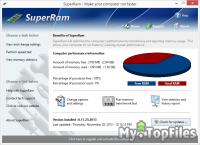 SuperRam makes your computer run faster by taking control and managing the memory on your computer efficiently. If you notice your computer is running slow, this typically is due to the memory (RAM) running out of usable space. When memory space gets lower, Windows then starts opening programs into the Windows page file; this page file is the computer hard drive which is much slower than RAM. SuperRam switches this behavior and puts old programs into the Windows page file and any newly opened programs are put into actual RAM. This change in how Windows operates allows programs and games to run faster. SuperRam constantly runs in the background on your computer and determines when the memory on your computer is getting to a low threshold; once it reaches this threshold it immediately frees memory back to the computer and makes programs run faster since they have access to physical memory. SuperRam's settings allow you to freely adjust and change this low memory threshold and give you the ability to determine how much memory to free back to Windows. SuperRam gives you full control over how memory works on your computer and allows you to fine tune how your computer operates. SuperRam intelligently manages memory unlike many other memory management programs available on the internet. SuperRam monitors how much of your computer processor is being utilized; ensuring that it does not free memory when the computer is processing large amounts of data and cause slowdowns. SuperRam can also detect when a program is running full screen, such as a game or a DVD and prevent memory from being freed to also prevent the screen from lagging and causing video problems to occur. If you are using a laptop SuperRam can also be told not to run when the laptop is on battery power and only work when plugged in. These settings allow you to fully control SuperRam and dictate how your computer works. SuperRam makes your computer run faster by taking control and managing the memory on your computer efficiently. If you notice your computer is running slow, this typically is due to the memory (RAM) running out of usable space. When memory space gets lower, Windows then starts opening programs into the Windows page file; this page file is the computer hard drive which is much slower than RAM. SuperRam switches this behavior and puts old programs into the Windows page file and any newly opened programs are put into actual RAM. This change in how Windows operates allows programs and games to run faster. SuperRam constantly runs in the background on your computer and determines when the memory on your computer is getting to a low threshold; once it reaches this threshold it immediately frees memory back to the computer and makes programs run faster since they have access to physical memory. SuperRam's settings allow you to freely adjust and change this low memory threshold and give you the ability to determine how much memory to free back to Windows. SuperRam gives you full control over how memory works on your computer and allows you to fine tune how your computer operates. SuperRam intelligently manages memory unlike many other memory management programs available on the internet. SuperRam monitors how much of your computer processor is being utilized; ensuring that it does not free memory when the computer is processing large amounts of data and cause slowdowns. SuperRam can also detect when a program is running full screen, such as a game or a DVD and prevent memory from being freed to also prevent the screen from lagging and causing video problems to occur. If you are using a laptop SuperRam can also be told not to run when the laptop is on battery power and only work when plugged in. These settings allow you to fully control SuperRam and dictate how your computer works.
Detailed description »
Changes in the last version:
Fixed bug where application would not start for some version of the Windows 10 April Update.
|
|
|
Download:
 http://www.pgware.com/downloads/superram.exe http://www.pgware.com/downloads/superram.exe
File location: http://www.pgware.com
For fast and reliable download use Internet Download Accelerator.
Mirrors:
Not found
|
|

Popular programs
last 7 days |
|



 SuperRam 7.6.4.2018

